
Uk Visas Immigration

Before you apply for an ETA using the UK ETA app, youll need:
- the passport youll travel with - not a photocopy
- an email address
- a credit card, debit card, Apple Pay or Google Pay
This app is only available in English.
Check if you can use the app on your phone
iPhone users
The UK ETA app is available for iPhone 7 and newer models. You will need:
- an iPhone 7, 7 Plus or newer
- iOS 13.2 or later - to find the software version installed, go to Settings > General, then About
- at least 179MB of storage space to install the app
- to be connected to 3G, 4G, 5G or WiFi
Download the app from the App Store.
Android users
You will need:
- Android 8.0 and above you can find this in your settings
- at least 165MB of storage space to install the app
- to be connected to 3G, 4G, 5G or WiFipassport you can find this in your settings. If you can use your phone to pay for things using contactless, this means it hasNFCand you can use the app
Download the app from the Google Play Store.
Whichever phone you use, the app will need access to the camera. If the app does not request access, enable it in your settings.
Applying for someone else
You can use the app to apply for an ETA for someone else, if theyre with you at the time you apply. This is because youll have to take a photo of them and scan their face.
If youre applying for someone whos not with you, you should apply online.
You can only apply and pay for one application at a time.
Take a photo of your passport
You must take a photo of the same passport youll use to travel to the UK. It must be the original passport, not a photocopy.
Take a picture of the photo page of your passport using your phones camera. The full page must be inside the frame, including the 2 lines of numbers and letters at the bottom of the page. Make sure your phone camera is focused on the text on the page.
The app will prompt you to adjust your phone to make sure you capture your passport correctly. These prompts will appear in a text box at the top of your screen.
Make sure you include the entire photo page in your picture.
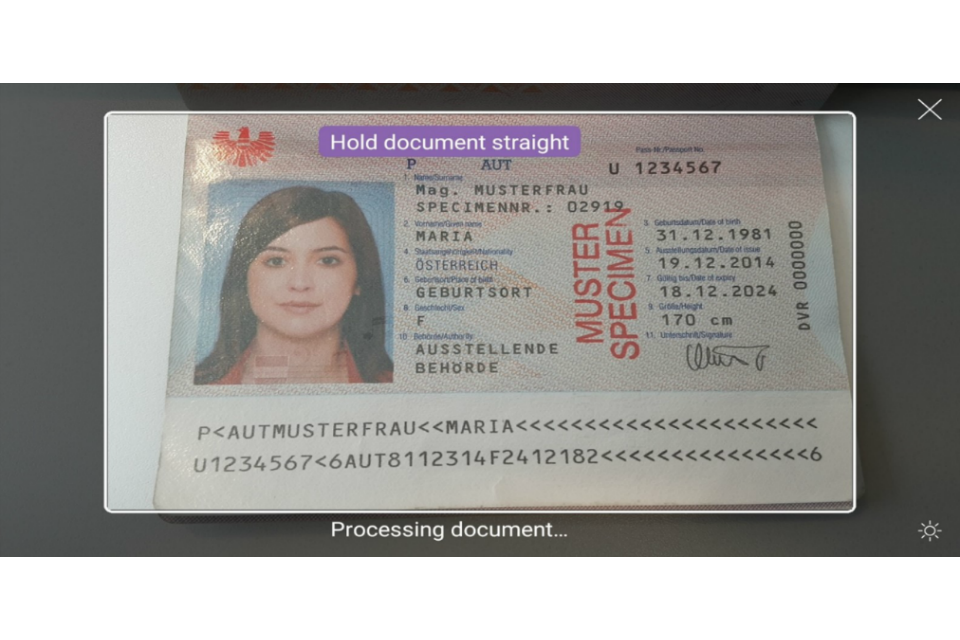
Try taking the photo of your passport at arms length if youre having problems.
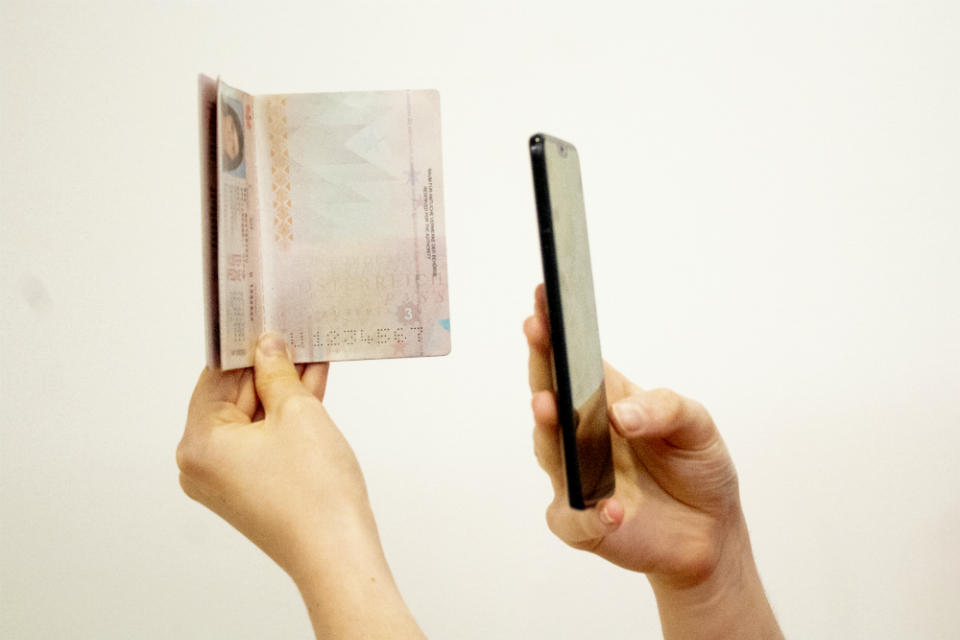
Scan your passport
If your passport has this symbol on the cover, it can be scanned by the app.

Remove any cases or covers from your passport and phone.
Place the phone on top of your passport. Aim the top of your phone with the middle of your passport.
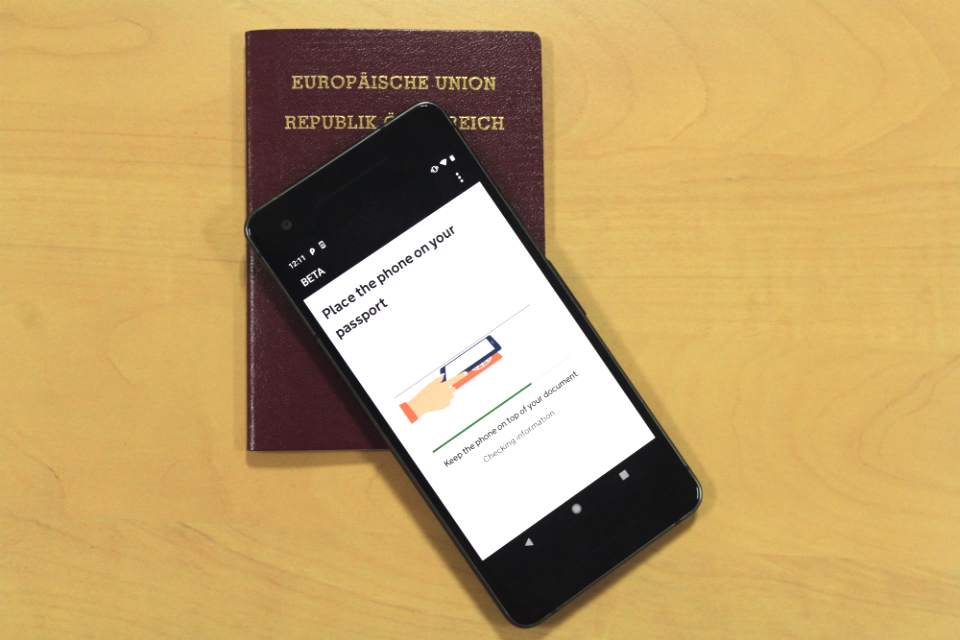
If the volume on your phone is turned up, you will hear a beep when your passport has been recognised.
If the app doesnt recognise your passport, move your phone around the passport.
If your passport does not have the symbol, or the app cannot read it
The app will read your passport details from the photo of your passport.
Check these details carefully. If they do not match what it says on your passport, your application will be delayed or rejected.
Scan your face
Hold your phones camera in front of your face until the scanning is complete.
If youre applying for someone else, you need to scan their face.
If youre 9 or younger, you will not be asked to scan your face.
Take a photo of yourself
You must:
- be in even lighting, against a plain, light-coloured background
- keep your head straight and look directly at the camera
- have a neutral expression and make sure your eyes are open and visible - remove your glasses if theres any glare
- include your head and shoulders (you can extend your arms or ask someone to take the photo for you)
You must not:
- wear a head covering (unless it is for religious or medical reasons)
- have any shadows, objects or people behind you
You can retake the photo before submitting it.
Complete your application
Youll need to answer questions about your:
- address
- job
- criminal history
- other nationalities, if you have any
If youre under 18, youll need to give contact details for someone who has parental responsibility for you.
Youll then need to pay in the app.
Youll get a confirmation email to say youve submitted your application.
When youll get your ETA
Well send you an email when weve made a decision on your ETA.
Youll usually get a decision within 3 working days, but you may get a quicker decision.
Occasionally, it may take longer than 3 working days.
You can delete the app when youve finished applying. Your ETA will be linked to your passport digitally, and you will not need to show anything else when you enter the UK.
If you need help using the app
If you have problems using the app, you can apply online instead.
You can contact us using the ETA contact form.